 EquipLoop
Laptops & IT Equipment
Laptops, monitors, phones, tablets, chargers and accessories.
Explore laptop trackingWHO HAS YOUR COMPANY'S EQUIPMENT?
Know what you have, where it is and who has it.
Track company equipment issued to employees, contractors and teams. Issue and return equipment, scan QR codes, record condition and keep a complete history.
John Smith
Field Operations
Assigned equipment
Updated nowDell Latitude 5550
LT-001
Samsung S25
PH-018
Access Card
AC-102
Makita Drill
TL-039

ONE RELIABLE RECORD
Stop relying on spreadsheets, paper forms and memory to know where company equipment is. EquipLoop gives every item a record and shows who currently has it, where it is and its condition.
BUILT FOR THE REAL WORLD
From office technology to field tools, create a clear company equipment tracker around the assets your business actually uses.
Laptops, monitors, phones, tablets, chargers and accessories.
Explore laptop trackingPower tools, hand tools, test equipment and complete tool kits.
Track who has specific toolsKeys, remotes, access cards and other security equipment.
Company vehicles, trailers and other mobile equipment.
Individually tracked safety equipment, harnesses and specialist PPE.
Explore PPE registerCreate your own categories and custom fields for everything else.
CLEAR HANDOVERS
Record who received an item, when it changed hands, when it is expected back and what condition it was in. Every issue and return creates a reliable trail.
DR-001
EQ-00042
Makita Drill
SCAN. VIEW. UPDATE.
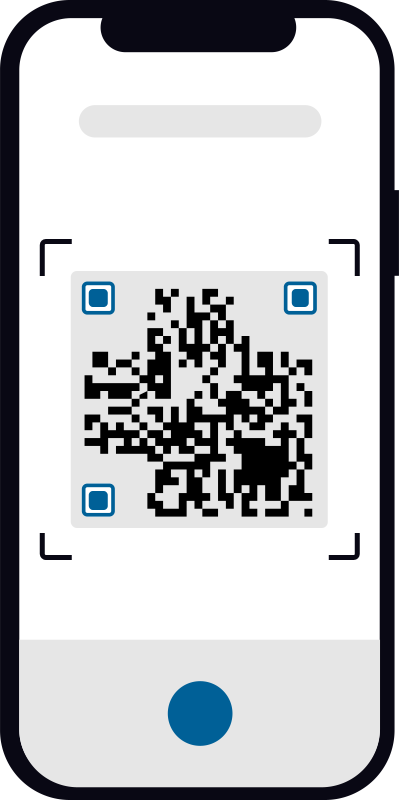
Give each individually tracked item a QR code. Scan it to open the equipment record, check its status, issue it, return it or view its history—without searching through a spreadsheet.
Faster equipment tracking in the field
Use a phone to identify the right item and bring its live record to the person standing in front of it.
STATUS IS NOT CONDITION
Know where equipment is and what shape it is in. EquipLoop keeps operational status separate from physical condition, so your records tell the full story.
Good
Damaged
Needs repair

LT-001
Returned by John Smith
Condition: Good
Issued to John Smith
Returned by Sarah Jones
Condition: Good
Issued to Sarah Jones
Added to EquipLoop
EVERY CHANGE ACCOUNTED FOR
See when equipment was added, issued, returned or changed condition. A clear history helps answer questions without chasing paper forms or relying on memory.
MOVE BEYOND MANUAL RECORDS
Already tracking equipment in Excel or Google Sheets? Compare your spreadsheet with one online system for equipment and stock, shared team access and recorded history. Check records from anywhere with an internet connection and choose a plan that fits your workflow.
Review the comparison and a practical checklist for moving beyond your spreadsheet.
BUILT AROUND YOUR TEAM
EquipLoop is flexible enough for the equipment your people use today and simple enough to start without a long implementation project.

Keep track of company equipment without expensive enterprise software.
Explore small businessesTrack laptops, phones, monitors and accessories assigned to employees.
Explore it teamsTrack tools and equipment across employees, projects and locations.
Explore constructionTrack radios, keys, uniforms, access cards and equipment.
Explore security companiesKnow what equipment employees have while working away from the office.
Explore field teams
VISIBILITY WHEREVER YOU WORK
Use EquipLoop from your computer, tablet or phone. Check assignments at your desk, scan equipment in the field and keep one current record across your team.
Equipment
Assigned
Available
Need attention

One reliable source of truthKeep equipment information organized and available to the people who manage it.
NO TRIAL COUNTDOWN
Use the complete core equipment tracking workflow for free. Upgrade only when your business needs more capacity or advanced tools.
FREE FOREVER
No credit card required
PRACTICAL RESOURCES
Start with a useful register today, then move to EquipLoop when you are ready for live assignments, QR codes and history.
A free Excel workbook for equipment, people, issues and returns.
View resourceTrack laptop serial numbers, employee assignments and returns.
View resourceDownload a PPE-specific Excel workbook or track employee PPE online.
View resourceCreate a ready-to-sign PDF for equipment issued to employees.
View resourceCreate QR labels with your link and logo, individually or in bulk.
View resourcePrint Code 128 and Code 39 labels with your own IDs and branding.
View resourceFROM THE EQUIPLOOP JOURNAL
COMMON QUESTIONS
Straight answers about tracking equipment issued to employees with EquipLoop.
An employee equipment tracker is a system that records company equipment, who it is assigned to, its current status and its condition. EquipLoop keeps those records together so you can quickly see who has each item.
Add the equipment and employee to EquipLoop, then issue the item to that person. The equipment record shows the assignee, issue date, expected return date, condition and complete handover history.
Yes. EquipLoop supports QR codes for individually tracked equipment. Scan a code to open the equipment record, review its status and complete common actions faster.
Yes. You can track laptops, monitors, phones, tablets, chargers, accessories and other IT equipment, including asset tags, serial details, assignees and condition.
Yes. EquipLoop can track individually identified tools and equipment, including who has each tool, when it was issued, when it is expected back and its condition.
EquipLoop supports a clear issue and return workflow. A return records when the item came back, its new condition and any notes, while keeping the earlier assignment in its history.
Bulk import is available on paid plans, so growing teams can bring an existing equipment register into EquipLoop instead of entering every record manually.
Yes. The Free plan includes 10 people, 50 tracked equipment units, 2 EquipLoop users and 1 location, plus the core issue, return, QR code, condition and history workflow.
An equipment unit is a physical item with its own identity, such as laptop LT-001 or drill DR-001. Each individually tracked item counts as one equipment unit.
Yes. Condition is tracked separately from status. For example, an item can be Assigned and Good, Assigned and Damaged, or Available and in need of repair.
START WITH CLARITY
Create your free EquipLoop workspace and start tracking equipment, people, issues, returns and condition today.
STAY IN THE LOOP
Ideas, updates and practical advice for keeping company equipment organised, shared by the EquipLoop team.


