 EquipLoop
Equipment register setup / THE EQUIPLOOP JOURNAL
Cheap Equipment Register: How to Set One Up on a Budget
Build a cheap equipment register with a free CSV template, sample columns and practical setup steps. Learn when a spreadsheet or digital register fits your team.
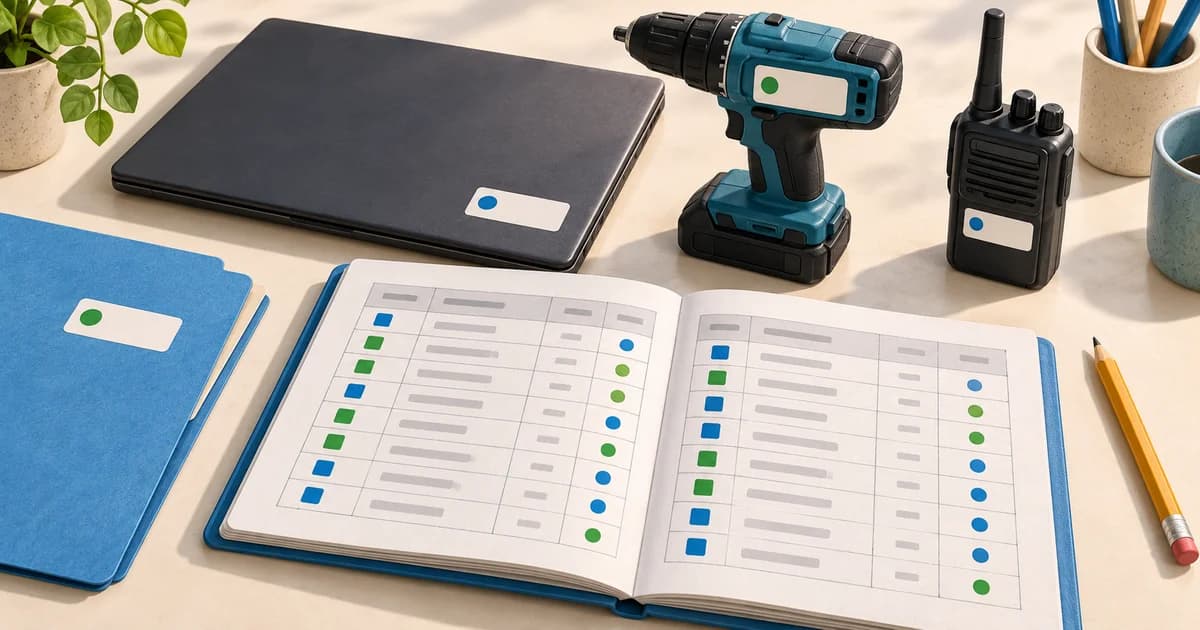
A cheap equipment register needs a clear record for each item and a simple habit for keeping it current. You can start with a spreadsheet, assign unique equipment IDs and record who is responsible for each item. A digital register becomes useful when several people need to update assignments and returns.
This guide helps you build the register itself: what to include, how to label equipment and how to keep the records usable. You can download the free equipment register CSV and open it in Excel or Google Sheets. It contains the headings and fictional examples below; delete the examples before entering your own equipment.
What an equipment register should tell you
An equipment register is a list of the physical items your business owns or controls. For everyday operations, it should tell you which item you are looking at, where it is recorded, who has it and what condition it is in.
Examples include laptops in an office, drills in a workshop, radios issued to a security team and reusable equipment moving between sites.
A register is the current view. An issue-and-return log records changes over time. Keeping both avoids losing the previous handover every time you replace a person's name in the register.
Start with these equipment register columns
Use only fields that your team can maintain. An elaborate sheet with mostly empty columns is harder to trust than a smaller, current register.
| Column | Example | Why it matters |
|---|---|---|
| Equipment ID | EQ-001 | Your permanent identifier for this physical item |
| Equipment name | Office laptop | A description people recognise |
| Category | IT equipment | A consistent way to group items |
| Serial number | DEMO-SN-001 | The manufacturer's identifier, where available |
| Recorded location | Main office | Where the item was last recorded |
| Assigned to | Example Employee A | The person responsible for the item |
| Status | Assigned | Whether it is available, assigned or out of service |
| Condition | Good | Its physical state, separate from its availability |
| Last checked | 2026-10-14 | When someone last verified the information |
| Notes | Charger included | Accessories, faults or other useful context |
Purchase details, warranty dates and supplier information can be added if you have a clear use for them. Avoid treating an operational equipment list as a complete accounting or depreciation system.
Copy this simple register example
These are fictional records to show how the fields work together:
| Equipment ID | Equipment name | Recorded location | Assigned to | Status | Condition |
|---|---|---|---|---|---|
| EQ-001 | Office laptop | Main office | Example Employee A | Assigned | Good |
| EQ-002 | Cordless drill | Tool store | Unassigned | Available | Good |
| EQ-003 | Two-way radio | Main office | Unassigned | Out of service | Damaged |
Notice that the radio is not assigned but is also not ready to issue. Keep condition and availability separate so a returned, damaged item does not get mistaken for usable stock.
The starter CSV includes all ten recommended columns. Use one row per physical item that needs its own identity. Five identical drills should have five records if you need to know which drill was issued.
Set up your register in six steps
1. Choose a manageable starting area
Begin with one office, store room or equipment category. Include equipment already issued to people, not just items on shelves. Name one person responsible for coordinating the first count.
2. Give each item a permanent ID
Use a short sequence such as EQ-001, EQ-002 and EQ-003. Keep the ID when an item changes location or custodian. Do not reuse it for a replacement item: the old record may still be needed to explain an earlier handover.
3. Check the physical item
Read the serial number from the item where possible, confirm accessories and record visible condition. If something cannot be checked, mark that clearly rather than guessing. Agree on a few condition terms, such as Good, Fair and Damaged.
4. Attach a readable label
Place the equipment ID where it can be read without interfering with use. If you add a QR code, keep the printed ID beside it. Choose labels suitable for the surface and working conditions, and plan to replace damaged labels.
5. Confirm responsibility
Check who currently holds issued items. Use consistent names and location labels: “Main office”, “HQ” and “Head Office” can otherwise become three entries for the same place.
6. Make updates part of the handover
Update the record when an item is issued, returned or moved. Schedule a physical check at an interval that fits how often your equipment changes hands. A register is useful only if people can rely on its current entries.
Keep an issue-and-return log alongside the register
In a spreadsheet, create a second sheet for handovers. Record each event on a new row instead of deleting the previous person's name and losing the history.
Useful handover fields are:
- Equipment ID, matching the main register.
- Event type, such as Issue or Return.
- Person receiving or returning the item.
- Event date and the person recording it.
- Condition and accessories at handover.
- Expected return date where relevant.
After recording the event, update the current assignment, location, status and condition in the main register. That two-step process is manageable for a small team, but it can become repetitive as handovers increase.
For a separate handover document, use the free equipment handover form generator. For the issuing workflow, see the equipment issue register.
Spreadsheet or digital equipment register?
| Choose a spreadsheet when… | Consider a digital register when… |
|---|---|
| One person maintains the records | Several people need to update the same records |
| Equipment changes hands infrequently | Issues and returns happen regularly |
| A manually maintained handover sheet is workable | You need assignments and their history connected |
| You can keep one agreed master file | Copies and conflicting edits are causing confusion |
| Searching by ID is enough | Scanning a label to open a record would help |
The decision is about workload as well as subscription cost. Count the time spent reconciling files, finding incomplete records and checking who last had an item.
If your main requirement is a live physical location, a register alone will not provide it. Our cheap asset tracking comparison explains the differences between record software, QR codes and hardware trackers.
Use EquipLoop when the register needs a shared workflow
EquipLoop connects equipment records to people, issues, returns, condition and history. You can organise equipment by category and location, then use QR codes to open individually tracked records.
The Free plan supports 50 tracked equipment units, 10 people, 2 EquipLoop users and 1 location. It includes the core equipment register and issue-and-return workflow. You can add records manually to start; bulk import is available on paid plans.
If your team needs more capacity or additional tools, compare the current pricing and plan features. Start with the workflow and limits you actually need rather than paying for unused capacity.
Common mistakes that make a cheap register expensive to maintain
- One row for several individually issued items. You cannot tell which physical unit was returned.
- Changing IDs when equipment moves. Earlier handovers become harder to connect to the item.
- Using a person's name as the location. Keep responsibility and location in separate fields.
- Recording all returned items as available. Check condition before making an item ready to issue.
- Keeping multiple master files. Agree where the current register lives and who updates it.
- Adding fields nobody uses. Keep information that supports a decision or a handover.
You do not need a complicated system to begin. Download the CSV, count one equipment category and establish the update routine. If shared handovers are already the difficult part, start a free EquipLoop register with a few items and test a complete issue and return.
Questions about equipment registers
Can I create an equipment register for free?
Yes. You can use the CSV linked above in a spreadsheet application you already have access to. EquipLoop also has a Free plan within the equipment, people, user and location limits listed above.
Is an equipment register the same as an issue register?
An equipment register lists the items and their current details. An issue register records handovers to people and subsequent returns. They work together, but answer different questions.
Should every small item have its own record?
Use individual records for items that need their own identity, custodian or history. Consumables such as screws and disposable supplies usually suit quantity-based stock records instead.
PUT IT INTO PRACTICE
Give every piece of equipment a clear record.
Track who has it, where it is and what happened to it. Start your asset register with EquipLoop.
Start tracking for free