 EquipLoop
Tools & equipment
Power tools, hand tools and test equipment with a record of who used them last.
TRACK PRODUCTS, ITEMS AND ASSETS
EquipLoop is QR code asset tracking software that gives every product, item and asset its own QR code. Scan it with a phone to see who has it, what condition it is in and its complete history.
Know what you have, where it is and who has it.
DR-001
EQ-00042
HOW IT WORKS
Give each asset a scannable identity, then use your phone to open its record and record what happens next.
Create the item with its name, category, serial number and any custom fields your business needs.
Each individually tracked unit gets its own QR code. Print it and attach it to the asset.
Use any phone or tablet camera to scan the label and open the live asset record.
Issue it to a person, record the return and condition, or report damage. Every action is saved to history.
EQ-00042
Makita Drill
SCAN. VIEW. UPDATE.
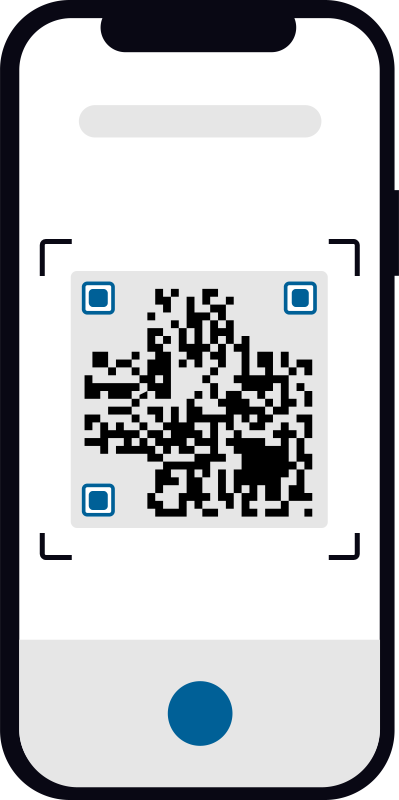
Point a phone at the label and the asset opens: its status, condition, current holder and history. Issue it, return it or report damage on the spot.
No special scanner neededA phone or tablet camera is all you need to scan EquipLoop QR codes.
WHAT YOU CAN TRACK
If a physical item has its own identity and someone needs to know where it is or who has it, it can have its own QR code.
Power tools, hand tools and test equipment with a record of who used them last.
Laptops, phones, tablets and monitors with asset tags, serial numbers and assignees.
Keys, remotes and access cards tied to the person who holds them.
Individually tracked harnesses and specialist safety equipment.
Company vehicles, trailers and mobile equipment with issue history.
Any physical item that needs its own identity. Add custom fields for whatever you record.
Need laptop-specific tracking? See our laptop asset tracking software.
WHY QR CODES
QR codes are a practical way to identify assets without buying specialised scanning hardware.
Scan instead of typing an asset ID or scrolling through a spreadsheet.
Every issued item shows its current holder, issue date and expected return.
See when an asset was added, issued, returned or changed condition.
No dedicated scanners or special hardware are required to begin.
Printing QR labels is inexpensive, so tracking more items is realistic.
QR error correction helps codes scan even when a label is partly damaged.
LT-001
Returned by John Smith
Condition: Good
Issued to John Smith
Returned by Sarah Jones
Condition: Good
Added to EquipLoop
MORE THAN A LABEL
A QR code is only useful if the record behind it is. EquipLoop keeps who had each asset, when it changed hands and what condition it was in, so questions about an asset are answered in seconds.
Good
Damaged
Needs repair
Status and condition are tracked separately, so an item can be assigned and still flagged as damaged.
CHOOSING A METHOD
Each identification method has a place. QR codes are usually the simplest way to start.
| QR codes | Barcodes | RFID | |
|---|---|---|---|
| How it is scanned | Phone camera | Scanner or camera | Reader hardware |
| Scan angle | Any angle | Specific direction | No line of sight needed |
| Cost per asset | Printed label | Printed label | Tag cost per asset |
| Best for | Tools, equipment, IT assets, items | Existing retail-style labels | Scanning many items at once |
A QR code identifies an asset when it is scanned. It does not provide automatic live location.
BUILT FOR YOUR TEAM
EquipLoop is simple enough to start in minutes and flexible enough for the assets your people use every day.
Track tools and equipment across employees, projects and locations.
Know which laptop, phone or monitor is assigned to which employee.
See what equipment each technician has while working off site.
Keep track of devices and shared equipment issued to people.
NO TRIAL COUNTDOWN
QR codes are included on the Free plan. Upgrade only when your business needs more capacity or advanced tools.
FREE FOREVER
No credit card required
KEEP EXPLORING
QR codes are one part of a simple equipment tracking workflow.
COMMON QUESTIONS
Straight answers about tracking products, items and assets with QR codes in EquipLoop.
QR code asset tracking software links a unique QR code on each physical item to its digital record. Scanning the code with a phone opens the record, so you can see the item's status, condition, current holder and history without searching a spreadsheet.
Read the full answerAdd an item to EquipLoop, generate its QR code, print it and attach it to the item. Anyone with access can scan it with a phone camera to open the item, then issue it, return it or review its history.
Read the full answerYes. EquipLoop tracks any individually identified physical item, including tools, laptops, phones, keys, radios, vehicles, PPE and other assets. You can create your own categories and custom fields for whatever your business needs to record.
Read the full answerNo. A smartphone or tablet camera is enough to scan an EquipLoop QR code. You do not need dedicated scanning hardware to get started.
Read the full answerNo. A QR code identifies an asset when someone scans it. EquipLoop records where an item is and who has it through issue, return and transfer actions, but a QR code does not report location by itself. Assets that need automatic live location require a GPS device.
Read the full answerBoth identify an item, but a QR code is two-dimensional, can be scanned from any angle with a phone camera and includes error correction so a slightly damaged label can often still be read. Traditional barcodes usually need a specific scan direction and often a dedicated scanner.
Read the full answerYes. Issue an asset to a person and EquipLoop records who has it, when it was issued, when it is expected back and its condition. When it is returned, the earlier assignment stays in the asset's history.
Read the full answerYes. Condition is tracked separately from status. An asset can be Assigned and Good, Assigned and Damaged, or Available and in need of repair.
Read the full answerThe Free plan includes 50 tracked equipment units, 10 people, 2 EquipLoop users and 1 location, with QR codes included. Paid plans add more capacity and advanced tools.
Read the full answerYes. You can start on the Free plan with no credit card required and use the core issue, return, QR code, condition and history workflow.
Read the full answerSTART WITH CLARITY
Create your free EquipLoop workspace, add your first assets and print their QR codes today.